Netflix made another controversial change in the Apple TV app. In recent weeks, the company has stopped using the native tvOS 26 video player in favor of the customized player it uses on other TV platforms.
In practice, this makes the most common interactions more cumbersome and prevents users from utilizing Apple TV features specific to the platform.
Netflix's Apple TV App is Now Very Bad
The change began to be implemented a few weeks ago, and user frustration is growing. On Reddit, there is an increasing discussion about the number of users canceling their Netflix subscriptions due to this change.
In another thread on Reddit, a user describes the cumbersome process of simply rewinding or fast-forwarding 10 seconds:
Did Netflix ruin the app? It now takes two extra clicks just to rewind or fast-forward 10 seconds. Instead of going back 10 seconds with one click, you now have to pause first, the frame selector opens, and then you have to click again. Did they not do any research or usability testing before releasing this?
This change means you lose access to full rewind controls with the Apple TV Remote app on your iPhone. You can't enable the Enhance Dialogue feature from the video player. That smart Apple TV feature that automatically activates subtitles when you rewind? Gone.
One of the features I used most in the tvOS video player was being able to tap the Siri Remote to see when what I'm currently watching will end. This is great for deciding if you can watch one more episode before bed. This feature has disappeared with this change on Netflix.
FlatpanelsHD has made a great compilation of all the features available in Apple TV apps using the native video player.
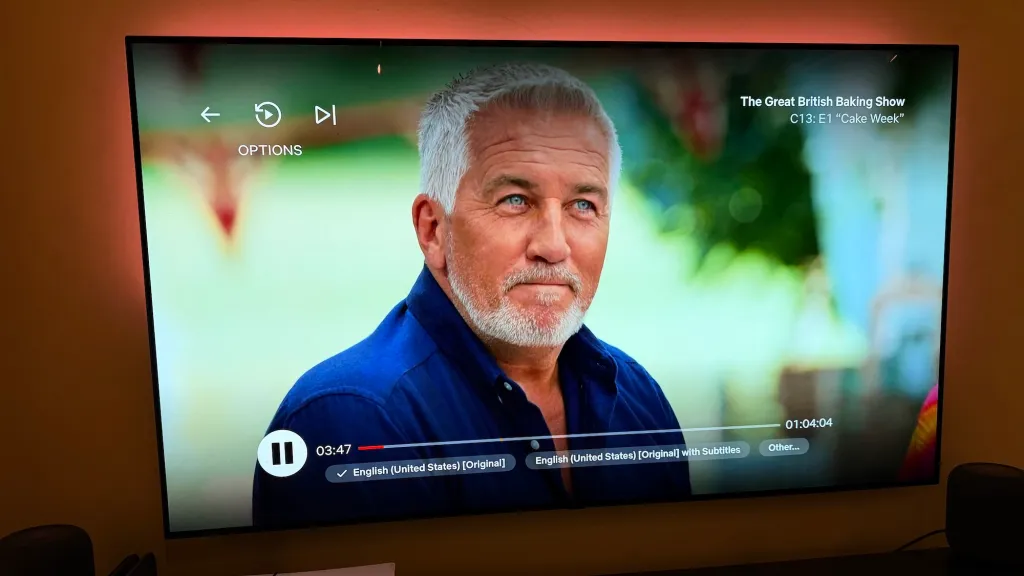
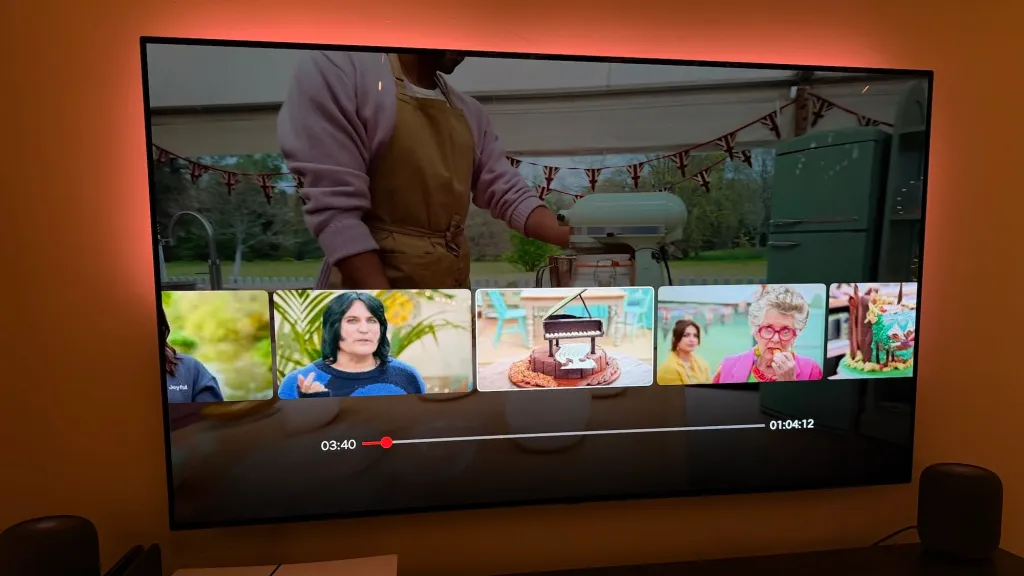
Netflix has not provided any public information about why it made this change. According to "sources within the company" quoted by Vulture, Netflix's motivation is to provide consistency across platforms. Netflix uses a largely customized video player across all its platforms, so Apple TV was an exception until now.
My guess is that this is a situation related to advertising, and Netflix thinks it can use its own video player for better or more "immersive" advertising opportunities.
Netflix's switch to a customized video player further deteriorates the company's overall support for Apple TV. For example, the company does not integrate with Apple’s TV, and therefore does not support system tvOS features like the universal "Up Next" queue. Using the native Apple TV video player was its only saving grace on the platform.
The fundamental functionality and controls that this change has ruined are not trivial. These are not just things you notice occasionally. Netflix's video player even complicates the most basic tasks, like rewinding if you missed part of the dialogue. Netflix has fundamentally worsened the experience, and you will notice this every time you use the app.
The timing of the change is also quite ironic: Netflix announced this change almost simultaneously with a price increase.
Here’s John Gruber:
Switching to their own customized video player has also disrupted Netflix’s integration with the iPhone. Until last week, playing video in the Netflix app on Apple TV created a live activity widget on your iPhone’s lock screen with the name of the current program, the scroll position, and player controls. Now that is gone.
This regression, announced in the same week Netflix announced price increases, makes me so angry that I’m seriously considering downgrading my family’s Netflix account from the $27/month Premium plan to the $20/month Standard plan. Sending Netflix only $240 a year instead of $324 will send them a message.
I am no longer subscribed to Netflix; I only have the "Netflix on Us" ad-supported plan that I got for "free" through T-Mobile. I think the service does not have enough content I want to watch, and changes like this definitely mean I do not want to give the company $27 a month.
I hope Netflix sees the growing frustration of users and reverts this change. However, I do not expect that to happen.
My Favorite Apple TV Products:
- Apple TV 4K
- Mount your Apple TV to the wall
- Apple TV remote case with integrated AirTag
- Hide your Apple TV behind your TV
- FaceTime mount for Apple TV
Follow Chance: Threads, Bluesky, Instagram, and Mastodon.







![The CardPointers app can now integrate with ChatGPT and more [50% off]](/resimler/cardpointers-uygulamasi-artik-chatgpt-ve-daha-fazlasi-ile-entegre-olabiliyor-yuzde-50-indirim.webp)









![User Experience: There's a Feature I Looked for in This MagSafe Battery [Video]](/resimler/kullanici-deneyimi-bu-magsafe-bataryada-aradigim-bir-ozellik-var-video.jpg)
Comments
(3 Comments)