OpenAI is releasing a new version of the Codex desktop application today. The latest Codex update adds three important features that extend its use beyond agency coding.
Today's release marks the beginning of a change for Codex. The application is becoming usable as a more general artificial intelligence tool on Mac, moving away from being solely developer-focused.
Codex Adds Background Computer Usage, In-App Browser, and Image Generation Features
Today's Codex release includes three important features that expand the capabilities of the desktop application.
These include Codex-supported background computer usage, an in-app browser based on OpenAI's Atlas, and image generation capabilities supported by gpt-image-1.5 — all without leaving Codex.
OpenAI particularly emphasizes the "background" aspect of Codex's computer usage capabilities. While actively working on your Mac, Codex can use desktop applications in the background.
“Multiple agents can work in parallel without interfering with your work in other applications,” says OpenAI. “For developers, this is useful for testing front-end changes, trying out applications, or working in applications that do not provide an API.”
Computer Usage came to Codex following OpenAI's acquisition of Sky Applications Incorporated, the team behind Apple Shortcuts / Workflow last fall.
I am very excited to bring Computer Usage to Codex. Computer Usage allows Codex to see your Mac applications, click on them, and type with its own cursor.
— Ari Weinstein (@AriX) April 16, 2026
It feels great to have agents use your applications in the background while you continue to use your computer. pic.twitter.com/wdgxiHAKyX
Last fall, OpenAI launched the first AI-focused web browser with the release of ChatGPT Atlas. Today, Codex integrates Atlas technology with its own in-app browser.
OpenAI states that Codex's in-app browser will allow you to “directly comment on pages to provide precise instructions for the agent.”
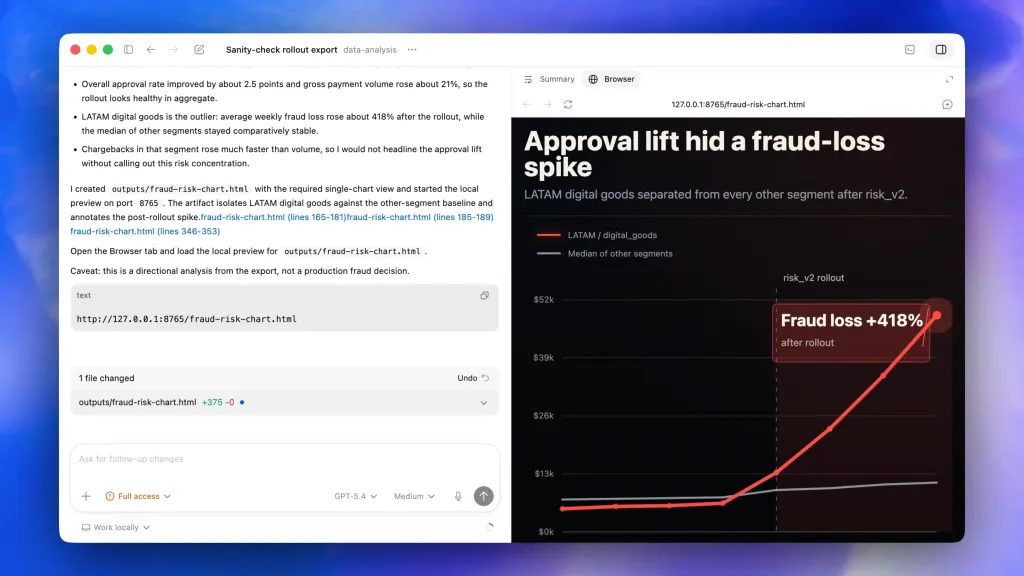
“This is useful for front-end and game development today, and we plan to expand it over time to allow Codex to fully control the browser beyond web applications on localhost,” the company adds.
Additionally, the image generation feature is now integrated with Codex. This eliminates the need to switch to the ChatGPT application to create AI-generated images. For developers, OpenAI expects the image generation feature within Codex to be particularly useful for creating visual concepts based on screenshots and code, among other things.
111 New Codex Plugins, Automation, and Memory
Beyond these three main features, OpenAI is offering a build that includes 111 additional Codex Plugins. These plugins combine skills, application integrations, and MCP servers to expand Codex's capabilities.
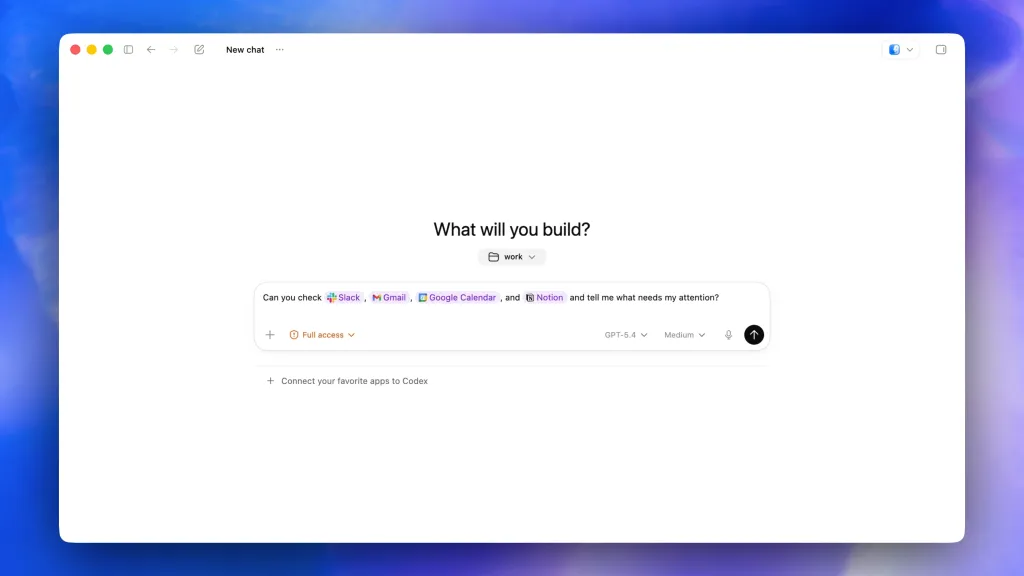
Codex includes these new software development support features beyond agency coding:
The application now supports handling GitHub review comments, running multiple terminal tabs, and connecting to remote dev boxes over SSH. It also allows you to directly open files with rich previews for PDFs, spreadsheets, slides, and documents in the side menu and use a new summary panel to track agent plans, resources, and documents.
Automation also has expanded capabilities in the new version of Codex:
We have expanded automations to allow reusing existing conversation threads and preserving previously created context. Codex can now plan future work for itself and can wake up automatically to maintain a long-term task, which can last for days or weeks.
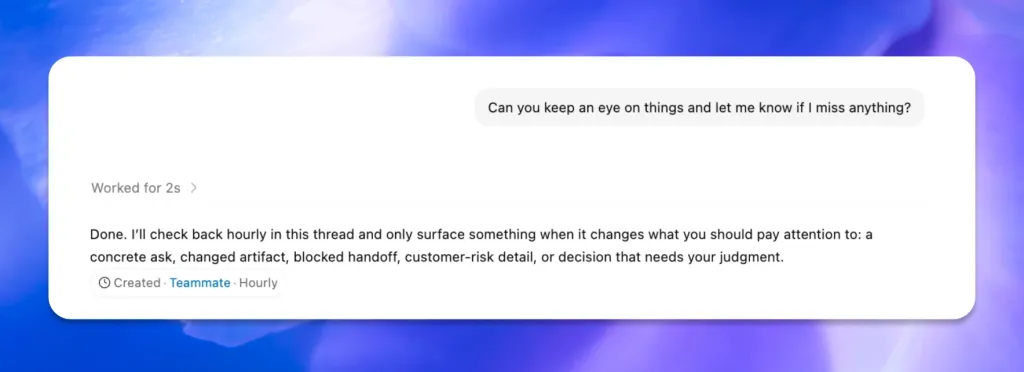
Finally, Codex is getting a "memory preview" similar to the ChatGPT application. Codex can "remember previous experiences, personal preferences, corrections, and time-consuming information."
Memory will allow Codex to provide useful prompt suggestions based on ongoing projects:
Using context from projects, connected plugins, and memory, Codex can now suggest how to start your workday or where to pick up from a previous project. For example, Codex can identify open comments in Google Docs that require your attention, pull relevant context from Slack, Notion, and your codebase, and then present you with a prioritized action list.
These prompts are expected to improve as Codex gains more context.
OpenAI Introduced a New Subscription for Codex Users
In addition to enhancing the Codex desktop application, OpenAI has introduced a subscription designed for Codex users.
OpenAI's $100/month Pro tier arrived last week. This is an upgrade from the $20/month plan and a cheaper upgrade from the $200/month Pro tier.
The new Pro tier is designed for “those using advanced tools and models throughout the week, with limits 5 times higher than Plus.”
When launched, it actually includes “10 times Codex usage compared to Plus for a limited time,” says OpenAI.
OpenAI shared last week that Codex reached 3 million users per week. This means a 5-fold increase in three months and a 70% monthly growth in usage.
Super App Goals with Codex
OpenAI suggests that future Codex releases will focus more on general efficiency use cases for builders outside of engineering.
This is part of OpenAI's plan to create a "super app" that integrates all its technologies.
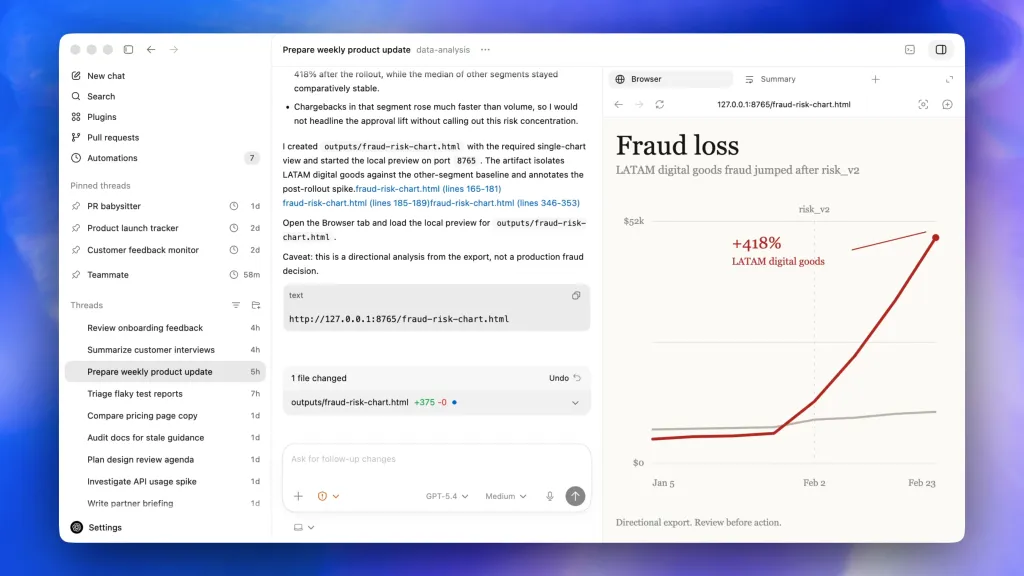
Today, we see the beginning of this with the combination of background computer usage, in-app browser, and image generation features.
Today's Codex release also supports Intel Macs.
I have some news for Intel Mac users: The Codex application is now available for you too! https://t.co/as32WF2UTE pic.twitter.com/sezIwTDwEM
— Thomas Ricouard (@Dimillian) April 16, 2026
Learn more about the latest version of Codex. You can download Codex for Mac here.
Do More with Your Apple Products
Apple AirTag 2 | Add Find My tracking for keys, bags, bikes, and more
Beats USB-A to USB-C Cable | Official CarPlay cable
Wireless CarPlay Adapter | No need to plug in anymore
AirPods 4 | Apple’s most affordable wireless earbuds
Astropad Rock Paper Pencil | iPad screen protector + Apple Pencil tips
Withings Body Comp | The best smart scale for Apple Health





































![Apple collector showcases 50 years of Mac startup sounds [Video]](/resimler/apple-koleksiyoncusu-50-yillik-mac-acilis-seslerini-sergiliyor-video.jpg)

Comments
(9 Comments)